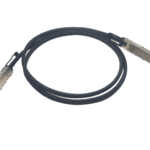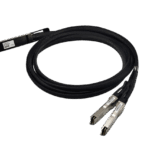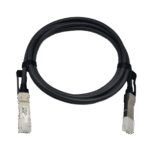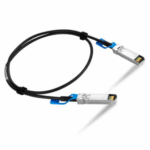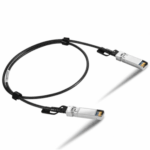


Here is a purchasing guide for 40G Passive High-Speed Direct Attach Copper Cables (DAC).I It will guide you step-by-step through confirming four core elements: protocol, transmission distance, cable connector type, and device compatibility. Finally, our product models are listed for your reference to help you accurately identify the required cable.
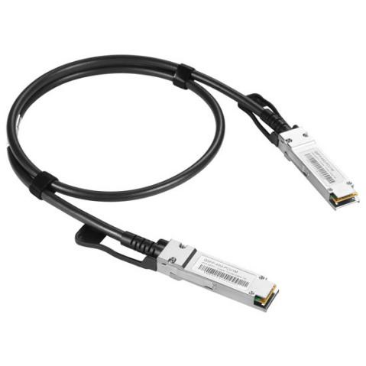
Step 1: Select Protocol Type. Different devices support different network communication protocols; please confirm this before purchase.
- Ethernet / RoCE: Suitable for standard Ethernet environments or RDMA over Converged Ethernet (RoCE) scenarios, commonly found in most network equipment.
- InfiniBand: Suitable for High-Performance Computing (HPC) or low-latency networks, typically used in specific cluster systems.
Step 2: Determine Transmission Distance
Available lengths:
- 1m
- 2m
- 3m
- 4m
- 5m
- 6m
- 7m
(Other lengths below 7m can be customized. Selection recommendation: Measure the actual distance between device ports and choose a cable slightly longer than required to allow for flexibility. If the distance exceeds 7m, it is recommended to switch to AOC (Active Optical Cable) or use optical transceivers with fiber patch cords.)
Step 3: Select Cable Connector Type: Straight or Breakout
- Straight: One port connects directly to another port, suitable for point-to-point connections.
- Breakout: One high-speed port splits into multiple lower-speed ports, such as 40G → 4×10G, used for multi-device connections or bandwidth splitting.
Step 4: Confirm Device A Compatibility
4.1 Identify the type of device the DAC will plug into at one end:
- Router
- Switch
- Server
- Storage
- Network Card (NIC/HCA), etc.
4.2 Confirm the manufacturer of this device:
- HW
- NVIDIA (NVIDIA/Mellanox)
- Cisco
- Juniper
- Dell, Intel, Broadcom, etc.
4.3 Provide the device model.
4.4 Select the form factor:
- QSFP+
4.5 Select the transmission rate:
- 40GbE
Step 5: Confirm Device B Compatibility
5.1 Identify the type of device the DAC will plug into at the other end:
- Router
- Switch
- Server
- Storage
- Network Card (NIC/HCA), etc.
5.2 Confirm the manufacturer of this device:
- HW
- NVIDIA (NVIDIA/Mellanox)
- Cisco
- Juniper, Dell, Intel, Broadcom, etc.
5.3 Provide the device model.
5.4 Select the form factor:
- QSFP+
- SFP+
5.5 Select the transmission rate:
- 40GbE
- 10GbE
After obtaining the above information, our professional customer service team will quickly be able to provide you with the correct DAC cable and ensure prompt delivery.
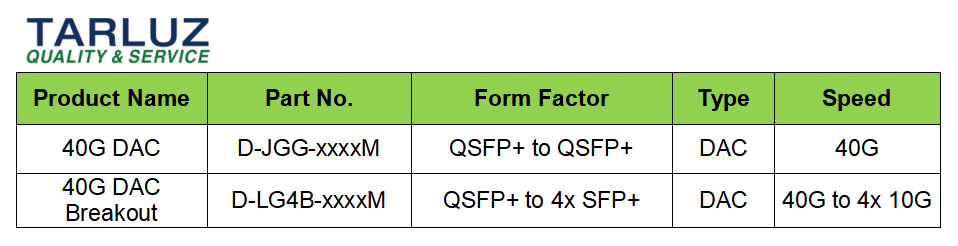
What 40G Passive Direct Attach Cables does TARLUZ have?
Quick Tips — Troubleshooting
If you encounter issues where a compatible DAC is not working properly, check if there is a normally functioning DAC high-speed cable nearby. Use it for a comparative test to see if the problem lies with the compatible DAC. This is a standard operating procedure for troubleshooting cable issues, and technical support from original network equipment manufacturers also employs the same method.
If the link is successfully established after replacement, the problem originates from the cable assembly; please contact our customer service. Conversely, if the link still fails to establish, the cable assembly can be ruled out as the cause, and the troubleshooting scope should be expanded to other potential factors.